Your study notes right beside your QBank
Auggie Buddy is a Chrome extension that surfaces your own high-yield notes and annotations directly beside any website including QBanks like UWorld, TrueLearn, and COMQUEST — so you stop losing points on things you already studied.


The Problem
Sound familiar?
You watch lectures. You build Anki decks. You take notes. You grind UWorld, TrueLearn, and COMQUEST. You put in the work.
But when you sit down to answer questions, your own prior reasoning and high-yield notes are nowhere to be found — and knowledge scattered across tools doesn't transfer when you need it most.

“I know I’ve studied this before...”
You wrote it down. You made a card for it. But mid-block, you can't find it — and the clock is ticking. That's not a memory problem. That's a retrieval problem.
Three apps open for one concept
Anki for cards, a PDF for lecture notes, a separate notebook for your own reasoning — none of them open during your Q-bank session. Context-switching is slow. You feel it every block.
Read the explanation, then forget it
UWorld's explanations are excellent. You get it in the moment. But without reinforcement tied to that specific question, the recall doesn't stick. You'll miss it again next time.
No time to manage five tools at once
Especially brutal for PGY1s studying between calls. When you have 20 minutes to review, you can't afford to spend half of it hunting down notes you already wrote.
How It Works
No new workflow to learn
Auggie Buddy augments your existing Q-bank session with your own study material. It's a recall layer — not a replacement for the tools you already use.

Add your notes to Buddy
Import your Anki deck, summarize lecture pearls, or type your own high-yield annotations directly into the extension. Your existing material — no new system to build.
Open your Q-bank like normal
Launch UWorld, TrueLearn, or COMQUEST exactly as you always do. Auggie runs quietly in the background — nothing changes about how you study.
Your notes surface at the right question
When you hit a question that matches your saved material, Buddy automatically surfaces those related notes — the moment you need them, not after.
Features
Not a Q-bank. Not a notes app.
Auggie Buddy is a recall and reinforcement layer over the Q-banks and note systems you already use — designed to surface your own knowledge at the exact moment you need it.
Instant recall at the right moment
Your notes appear the second you hit a related question. Not after the block. Not when you remember to search. Right then — while the concept is live in front of you.
Keep every tool you already use
Buddy works with your Anki deck, lecture PDFs, and personal notes — not instead of them. Zero migration. Zero new system to maintain. Just plug it in and go.
Compounds the more you use it
Notes are tied directly to question patterns. When you encounter a similar question later — next week, next block, next month — Buddy surfaces your own prior reasoning from the last time you faced it. Active retrieval that gets sharper over time.
Designed by people who just lived it
Two MS4s and two PGY1 physicians — all recently went through board prep, shelf exams, and early residency. Every feature exists because we needed it ourselves. This isn't hypothetical med-ed. It's real, current workflow.
See It in Action
Watch Auggie Buddy work
See how your notes surface automatically inside a live UWorld session — in real time, with zero interruption to your workflow.
Demo recorded live in UWorld — no staging, no edits.
How Auggie Works
4 ways Buddy changes how you study
From capturing your first note to surfacing it mid-block — here's the full loop that makes Auggie Buddy different.

Highlight & Capture
Highlight any text in your Q-bank or lecture material. Auggie captures it and makes it available for quick edits — no copy-pasting, no separate notes app.

Seamless Overlay
Buddy sits silently inside your browser. No new tab, no interruption. Your entire study setup stays exactly the same — Buddy just makes it smarter.

Surface at the Right Moment
When you hit a question that matches your saved material, Buddy opens your notes right in the sidebar — timed perfectly to reinforce what you already know.

Built for Medics
Designed by 4th-year medical students and PGY1 physicians who use it themselves — every feature exists because we needed it first.
Who It's For
Built for the grind you're already in
Whether you're deep in a dedicated Step 1 grind or squeezing in study blocks between rounds — Auggie Buddy meets you where you are.
Pre-clinical & Clinical
Studying for Step 1, Step 2 CK, COMLEX Level 1/2, or shelf exams? Buddy plugs directly into your Q-bank sessions — surfacing the notes you already built so nothing falls through the cracks.
PGY1 Physicians
Studying between calls with 20-minute windows? You don't have time to manage five apps. Buddy keeps your notes a single click away — right beside the Q-bank you're already using.
Your clinical rotation companion
Beyond the Q-bank — Auggie Epiphany is the iOS app built for students and residents navigating real patient encounters on the wards.
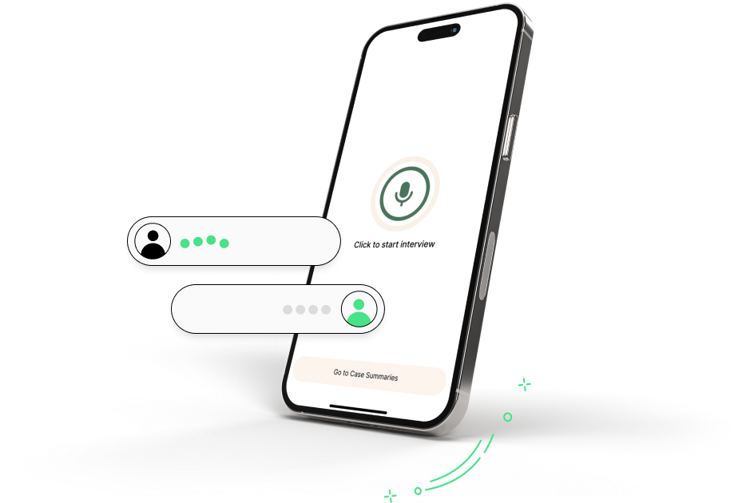
Download on the App StoreLive Interview Transcription
Speak naturally with your patient. Auggie Epiphany listens, transcribes the conversation in real-time, and organizes symptoms into a structured list — so you stay present instead of typing.
- Real-time speech-to-text during patient encounters
- Auto-organizes chief complaints and history
- No manual charting mid-interview
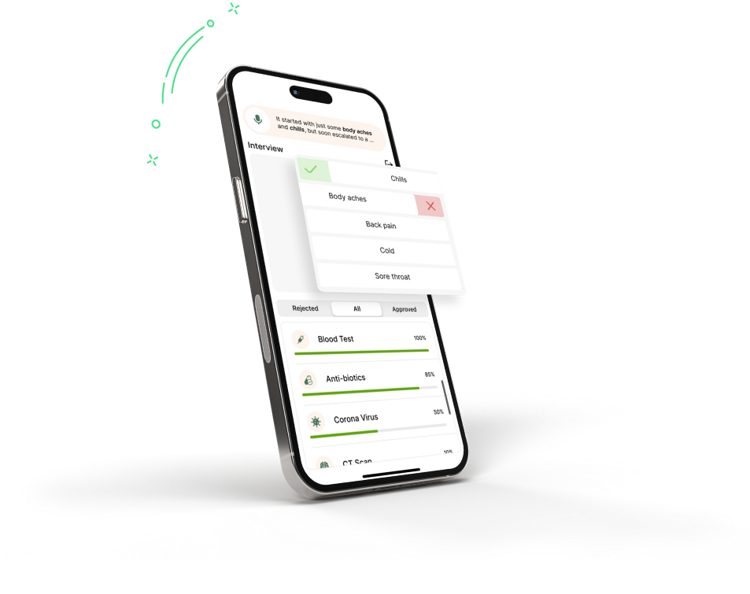
Symptom Pattern Matching
As the encounter unfolds, Epiphany analyzes the reported symptoms and cross-references them with potential diagnoses — ranking possibilities by likelihood so nothing critical gets missed.
- Algorithm-powered differential diagnosis support
- Ranked conditions based on reported symptoms
- Flags high-priority diagnoses in real time
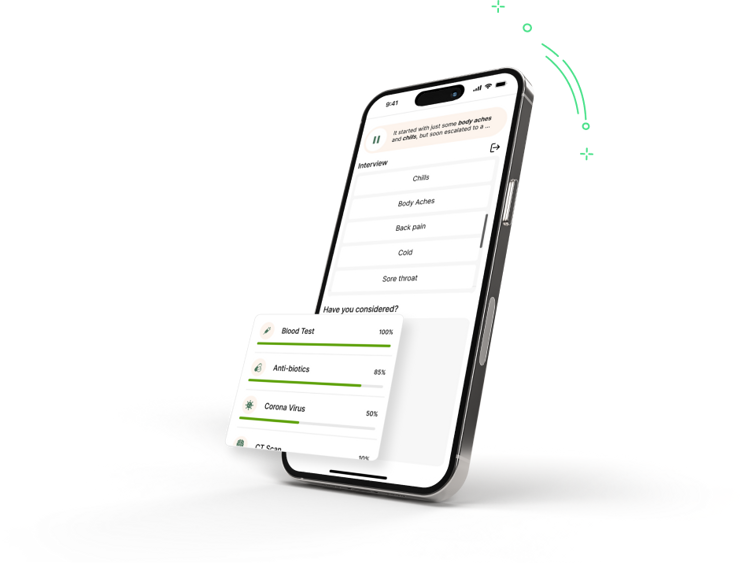
AI-Powered Clinical Hints
Drawing from your own clinical notes and the broader medical knowledge base, Epiphany surfaces targeted prompts when your patient's presentation matches known patterns — reducing missed diagnoses.
- Personalized hints from your own clinical notes
- Community-validated medical knowledge base
- Prompts triggered by symptom context, not guesswork
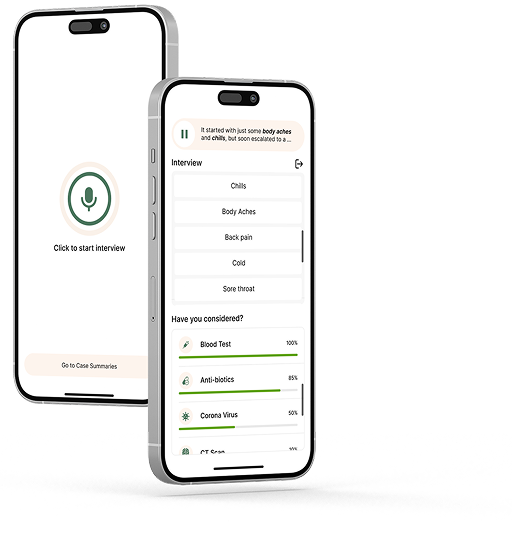
Rounds Mode
Built for the wards. Pull up your clinical notes during patient rounds without breaking your flow — including images and media directly inside your notes, so everything you need is one tap away.
- Access your notes mid-rounds without switching apps
- View images and media embedded directly in notes
- Optimized for fast, one-handed use on the floor
Social Proof
Trusted by med students & residents
Built by MS4s and PGY1 physicians — people who understand what the grind actually looks like.
“I used to lose 10 minutes per block just toggling between UWorld and my notes. Buddy cut that completely. It's like my study brain is always open in the background.”
MS3, USMLE Step 2 CK prep
“As a PGY1, I'm studying in 20-minute windows between calls. I don't have time to manage five apps. Buddy just... shows up when I need it. That's it.”
PGY1 Internal Medicine
“The question-based tagging is what gets me. I don't just review topics anymore — I review my own reasoning from the last time I missed that question type.”
MS4, COMLEX Level 2 prep
Integrations
Works with the Q-banks you already use
Auggie Buddy overlays seamlessly on your existing Q-bank session. More platforms on the way.
UWorld
The gold standard for USMLE prep
TrueLearn
COMLEX-focused Q-bank
COMQUEST
COMLEX board exam prep
Stop losing points on things you already studied
Add Auggie Buddy to Chrome in 30 seconds and start your next Q-bank block with your own notes ready — automatically. Free, always.

No account required to get started · Works on any Chromium-based browser